A sloppy recipe card costs money : a wrong ingredient cost, a missed allergen, a recipe your team can’t reproduce the same way twice. On paper or in a spreadsheet, building one properly easily takes 30 to 45 minutes. Here is how to create a complete, reliable one in 5 minutes flat.
List your ingredients and base quantities
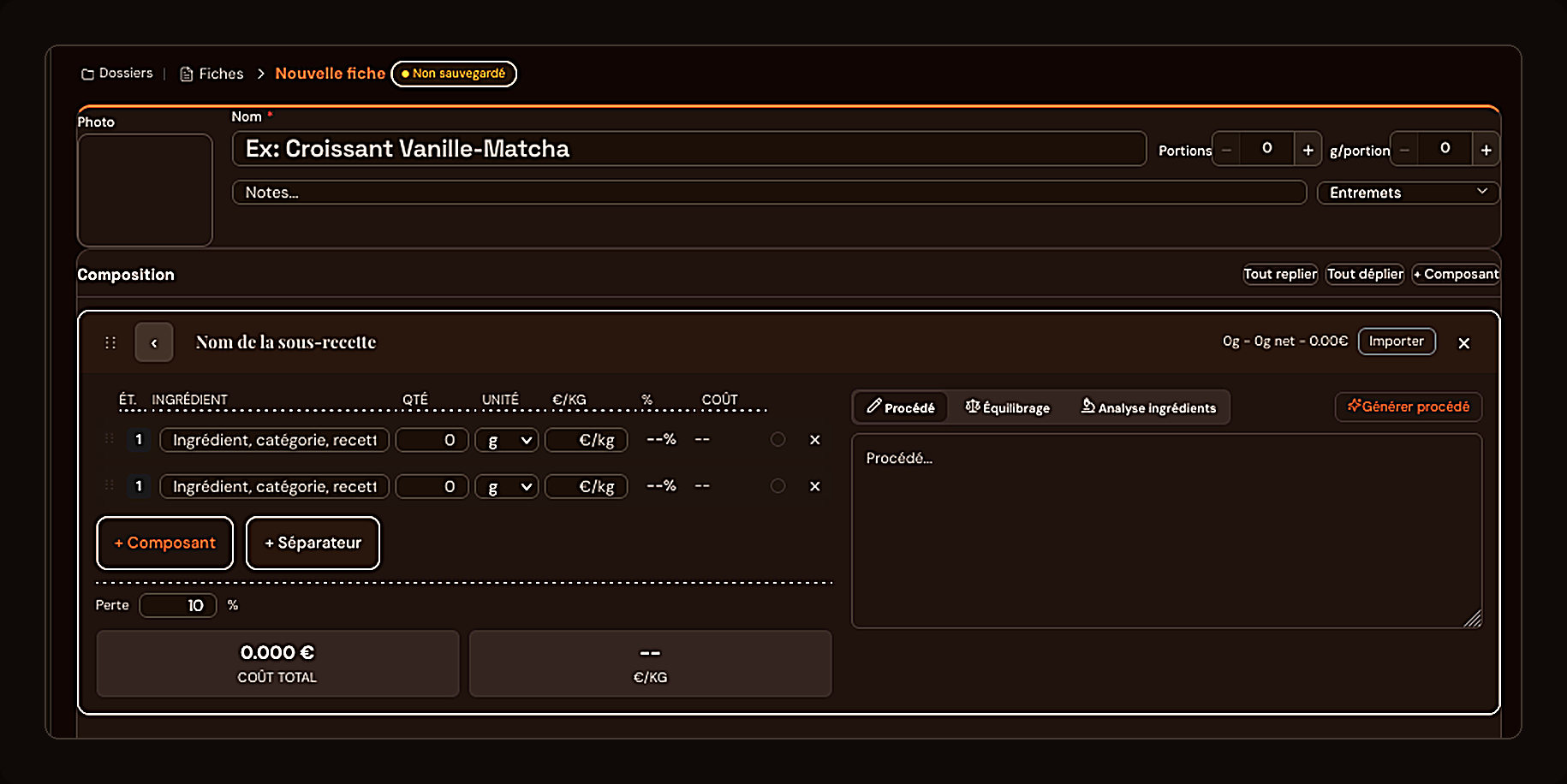
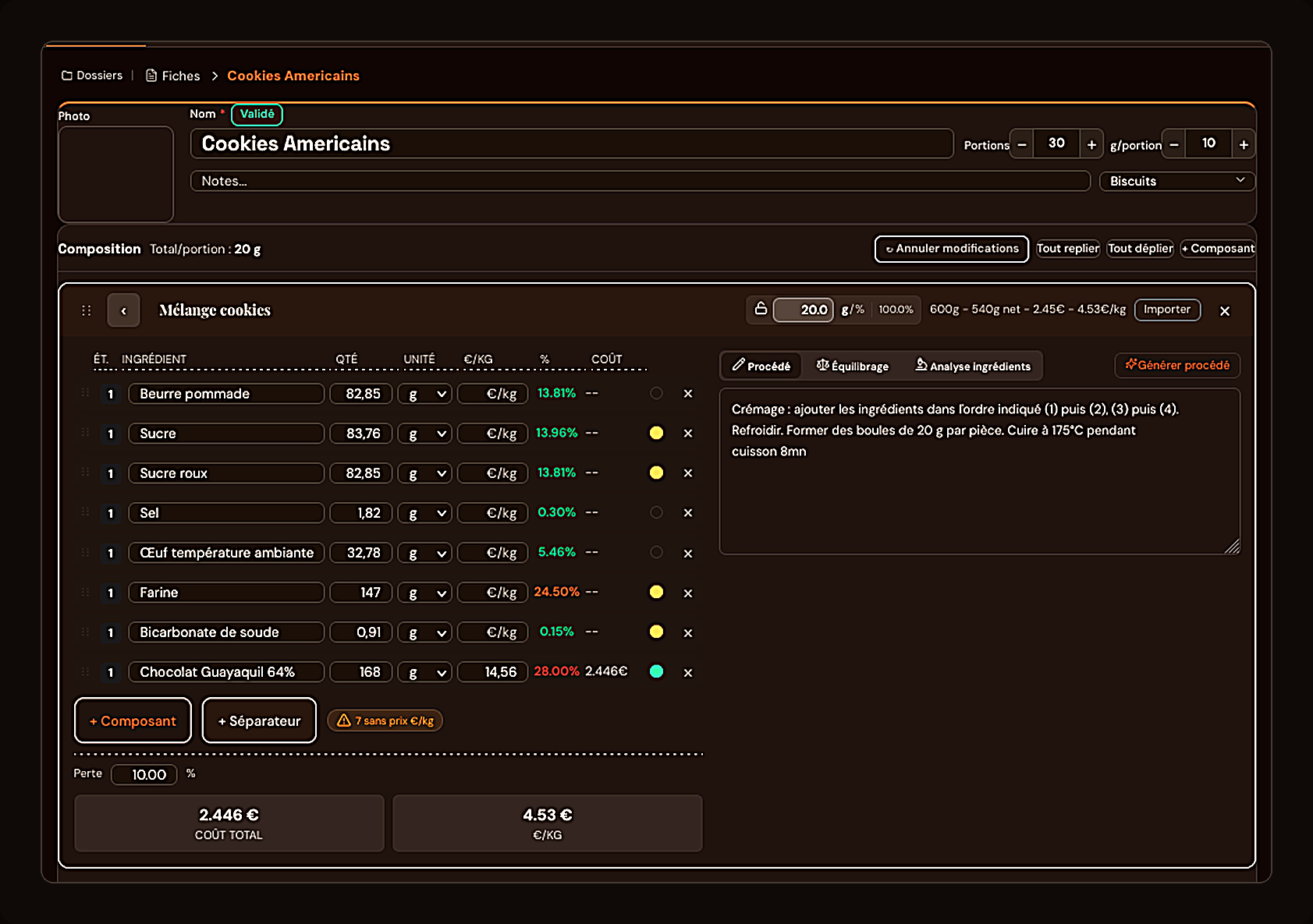
Open a new recipe card, name it and set your target yield. Add each ingredient with its quantity and unit (g, kg, ml). You can organize your composition into sub-recipes (for example almond cream, then assembly), which keeps the card readable even for a multi-component recipe.
Add the cost of every ingredient
This is the step most kitchens still do by hand, with frequent errors. Here, every ingredient is linked to the ChefBase pricing database : as soon as you select it, its price per kilo fills in automatically and the line cost calculates itself. You see in real time what percentage each ingredient represents in the total cost.

Add the production steps
In the method field, describe each step in order : mixing, baking, temperature, time. This becomes the reference your whole team follows on the line, batch after batch, with no drift from one commis to another.
Check allergens automatically
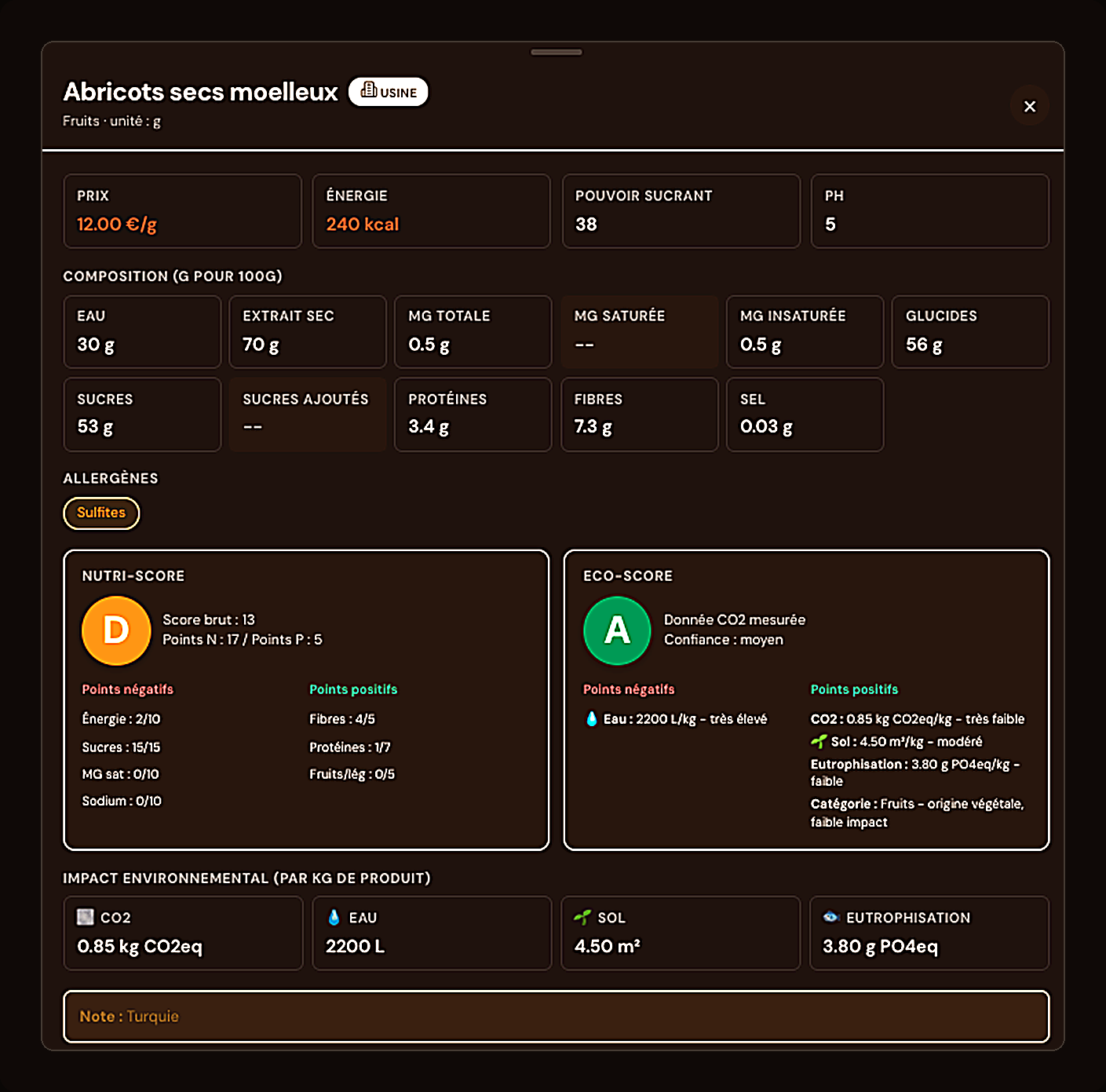
Every ingredient in the ChefBase database already carries its allergens. In your recipe card, they roll up automatically : no need to keep a separate allergen matrix in sync by hand. You spot what triggers a flag at a glance, before anything goes to print.
Calculate food cost and selling price in one click
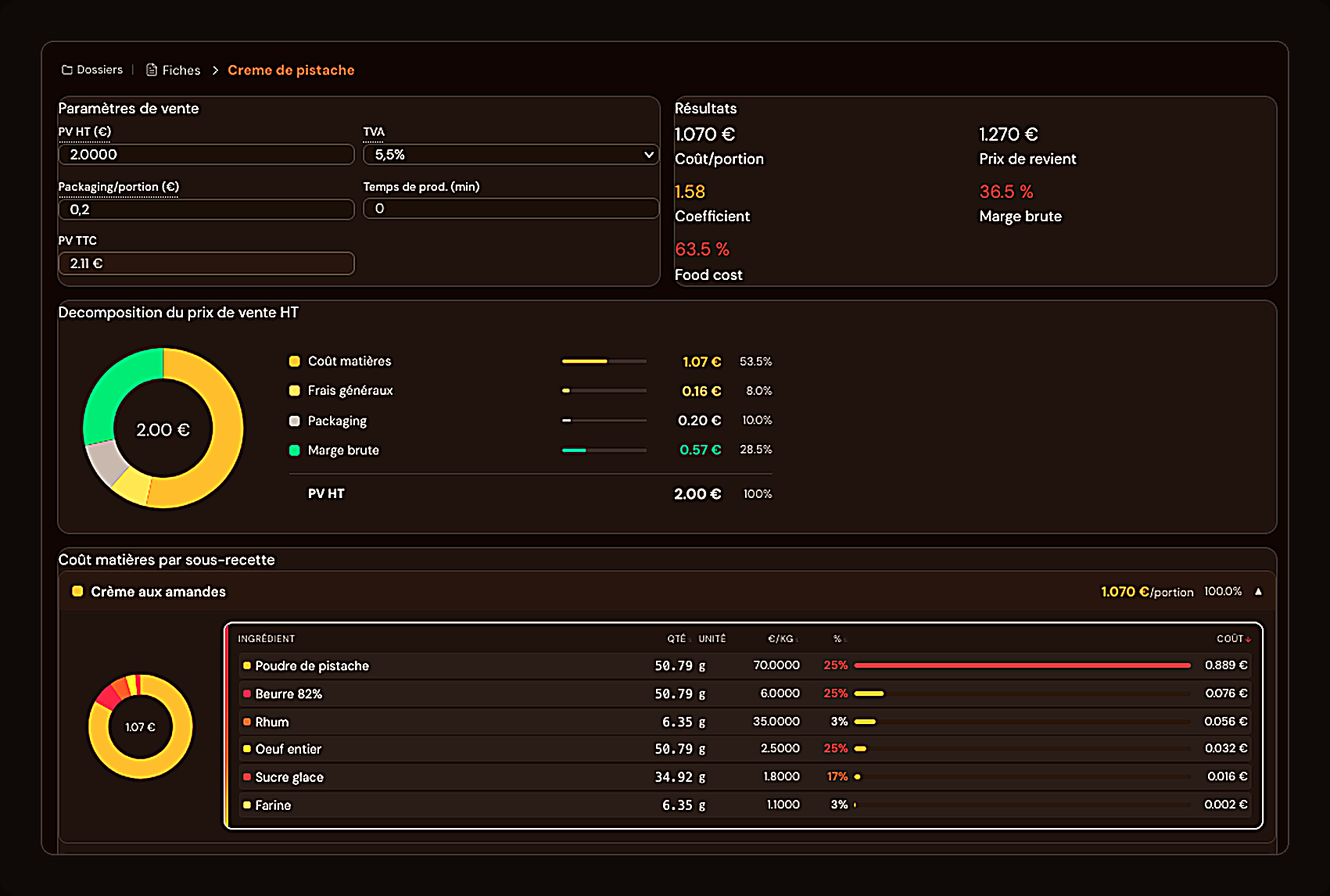
Once composition and method are filled in, ChefBase calculates cost per portion, cost of goods, markup and food cost percentage. Adjust your selling price and watch gross margin react in real time. This logic is covered in more depth in our article on calculating food cost.
Export or share the card on the floor
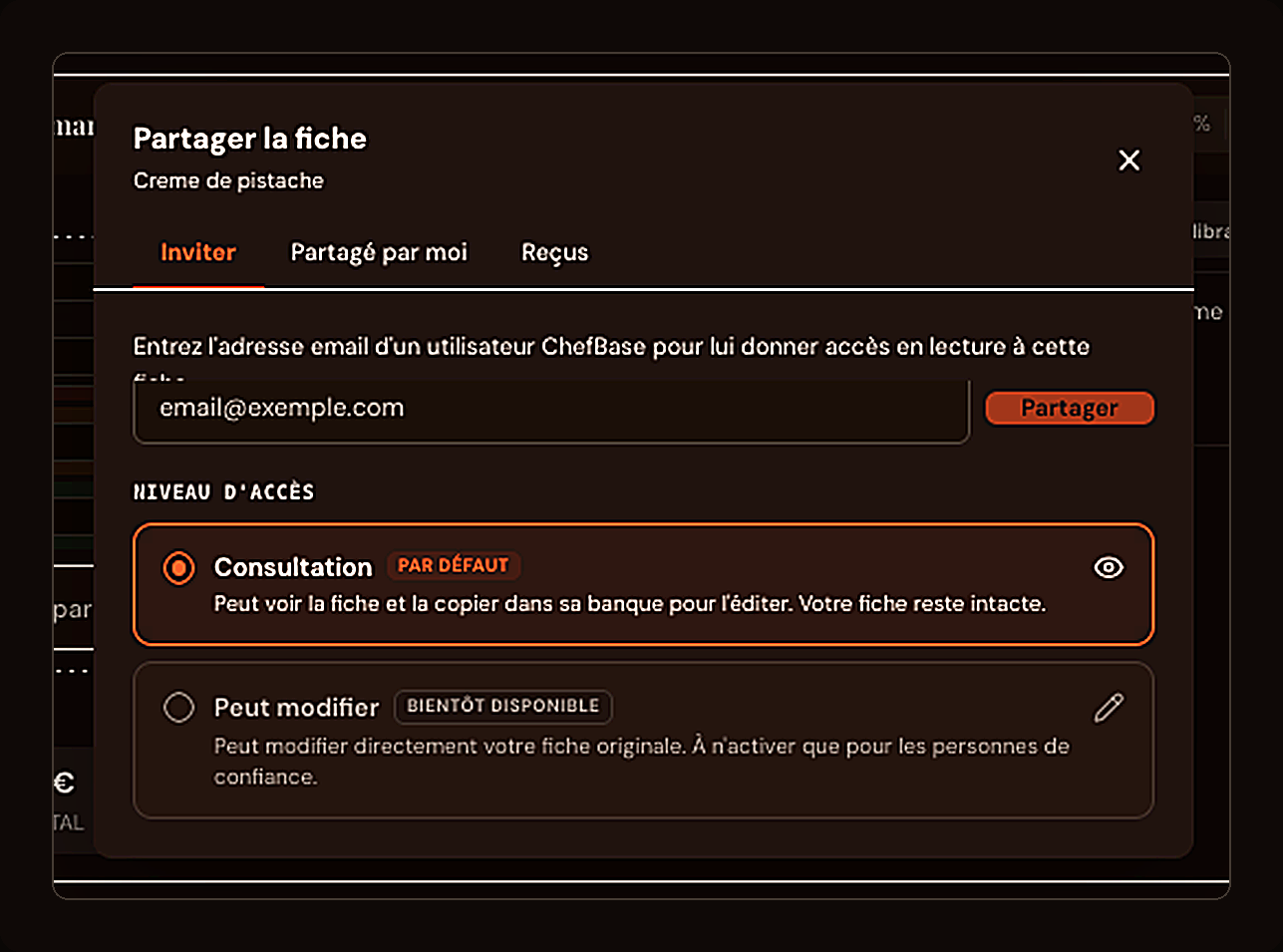
Once validated, a recipe card can be shared with a team member in view-only mode : they can see it and copy it into their own library to adapt, without touching your original. Handy for rolling a recipe out to several stations without risking an unwanted edit.
Key takeaways : a complete recipe card brings together composition, cost, method, allergens and selling price in one place. Ingredient cost and allergens calculate automatically as soon as an ingredient is picked from the database, and food cost recalculates live as you adjust the selling price. A card can be shared read-only to protect the original.
Build one with the Library feature: cost, allergens and yield calculate together as you type.
Five minutes to build, zero re-entry after that. ChefBase keeps cost and allergens in sync automatically. Start free, no card required.
Frequently asked questions
How do you make a professional pastry recipe card?
List the ingredients with their quantities, add the cost of each ingredient, describe the production method step by step, then set the selling price to get food cost and margin.
What information should a recipe card include?
The recipe name, yield, the ingredient list with quantities and costs, the production method, any allergens present, and sales figures (cost per portion, price, margin).
Can allergens be calculated automatically for a recipe?
Yes, if every ingredient already has its allergens recorded in a database. The recipe’s allergens then roll up automatically, with no manual re-entry.
How do you avoid ingredient cost errors on a recipe card?
By linking each ingredient to an up-to-date price per kilo, instead of typing costs in by hand on every new card. This avoids missed price updates and calculation mistakes.
How long does it take to build a digital recipe card?
With a tool that automates ingredient cost and allergens, a complete recipe card (ingredients, method, cost, selling price) can be built in about 5 minutes.